Circulation Type
The Circulation type refers to a component or feature designed to manage and administer
various circulation types or loan policies within the library.
Steps in adding new Circulation Type
1. Go to Utilities
2. Click Circulation Type
3. Click New button
4. Enter Circulation Type in the text box
5. Click Save Button to add new circulation type record.
Please Refer to the Images Below
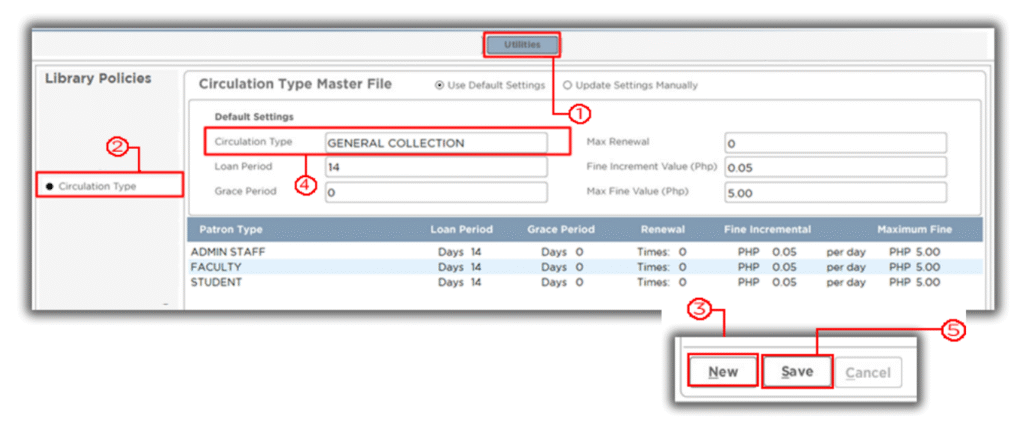
Note: This will enable the modules components for adding new Circulation Type.