The Department within a library system typically refers to a component or feature that
facilitates the organization and management of different departments or units within the
library structure. This module encompasses functionalities aimed at defining, configuring,
and managing departments, as well as assigning resources, staff, and responsibilities to each
department.
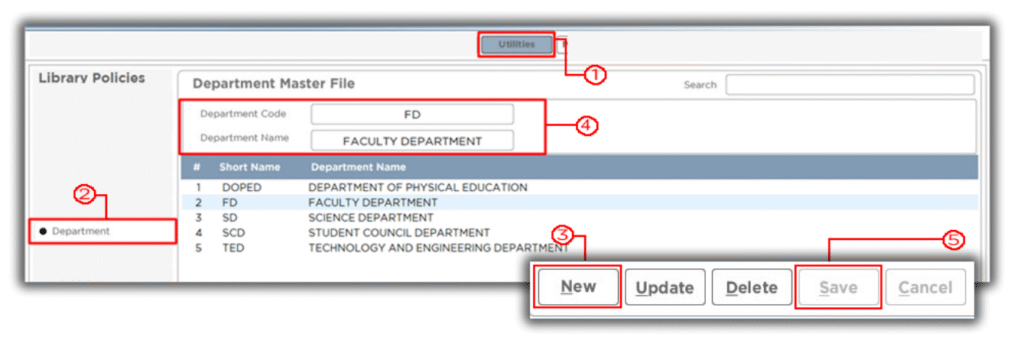
Steps in creating, updating and deleting Department record.
To Create
1. Go to Utilities
2. Click Department
3. Click New Button
4. Enter Department Code and Department Name
5. Click Save to add new Department Record.
Please Refer to the Images Below
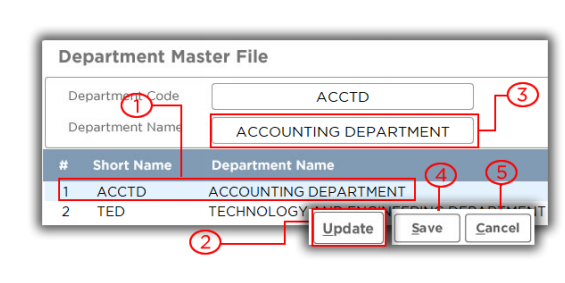
To Update
1. Select the Department Record
you want to update.
2. Click Update button
3. Input new Department Name
4. Click Save to update
Department Record.
5. Click Cancel button to disregard transaction
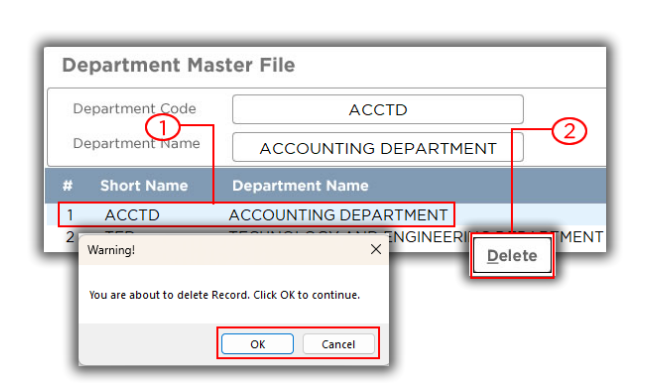
To Delete
1. Select the Department record
you want to delete.
2. Click Delete button
3. Click Ok button to delete
Department Record.
4. Click Cancel button to disregard
transaction.
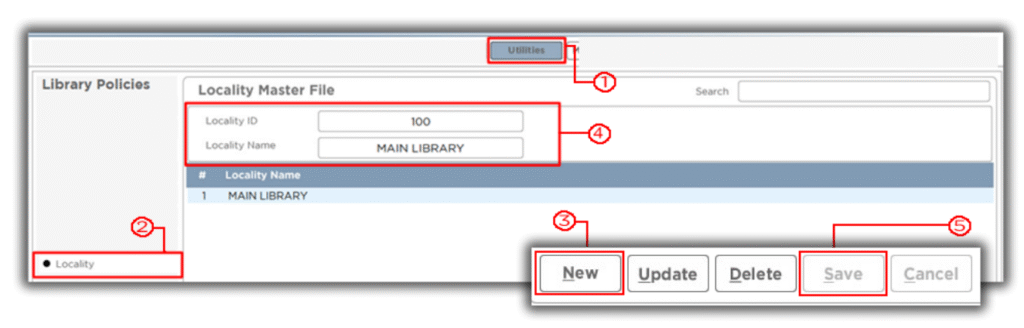
Steps in creating, updating and deleting of Locality record.
To Create
1. Go to Utilities
2. Click Locality
3. Click New Button
4. Enter Locality ID and Locality Name
5. Click Save to add new Locality Record
Please Refer to the Images Below.
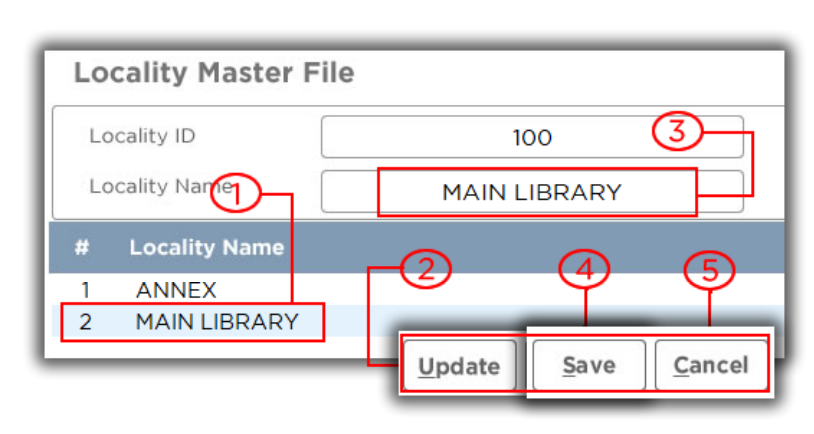
To Update
1. Select Locality that
you want to update
2. Click Update Button
3. Input New Locality Name
4. Click Save to add updated record.
5. Click Cancel Button to disregard
transaction
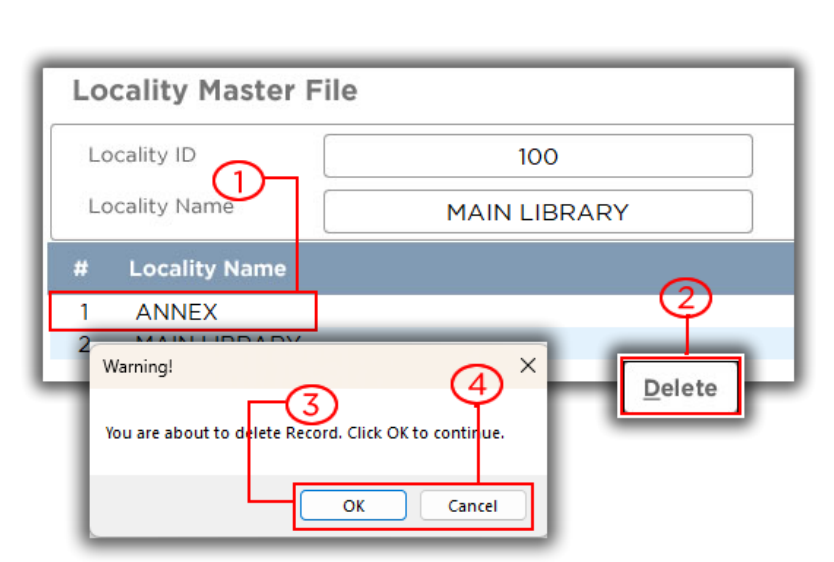
To Delete
1. Select Locality that
you want to delete
2. Click Delete button
3. Click Ok Button to delete
existing record.
4. Click Cancel Button to disregard
Transaction.